
Commission Hero Documentation
This documentation explains how Commission Hero works, what data it tracks,
and how to safely manage contributor commissions for WooCommerce products.
Requirements & Compatibility
Commission Hero is designed to work with standard WordPress installations
and WooCommerce-based stores.
Required Plugins
- WooCommerce
Required to assign contributors, calculate commissions, and display reports.
Notes
- Commission Hero currently supports WooCommerce only
- The plugin will safely hide WooCommerce-related tools if WooCommerce is not active
- Commission Hero calculates and reports commissions only — it does not handle payouts
Quick Navigation
- What does Commission Hero do?
- Where are commissions configured?
- How are commissions calculated?
- What is Base Price Subtraction?
- Admin Commission Reports
- Contributor Front-End Reports
- Contributor Payout Preferences
- Paid vs Unpaid Status
- Does this plugin handle payouts?
- Is commission data retroactive?
- Is Commission Hero safe to use on live stores?
What Does Commission Hero Do?
Commission Hero allows store owners to assign contributors to WooCommerce products
and automatically calculate commission amounts when orders are completed.
It is designed for internal contributors, such as:
- Designers
- Producers
- Collaborators
- Content creators
- Revenue-sharing partners
Commission Hero is not an affiliate tracking plugin and does not use referral links. It is designed for websites in which the admins have control over products sold and not the users and affiliates creating products.
Where Are Commissions Configured?
Commissions are configured per product.
- Edit a WooCommerce product
- Open the Commissions tab in the Product Data panel
- Assign one or more contributors
- Set a commission percentage for each contributor
- Choose a commission basis
- (Optional) Enter a Base Price Subtraction amount
- Save the product
Each product can have different contributors, rates, and settings.

How Are Commissions Calculated?
Commissions are calculated per order line item, not globally per order.
- Determine the commission basis:
- Full Price
- Sale Price
- Paid Price (After Discounts)
- Subtract the Base Price (if set)
- Multiply the remaining amount by the commission percentage
- Record the commission in the admin report
Commissions are calculated automatically when orders are completed.
What Is Base Price Subtraction?
Base Price Subtraction allows you to subtract a fixed dollar amount
before commission percentages are applied.
This is useful for covering:
- Production costs
- Printing costs
- Materials
- Fixed overhead
Example
- Product price: $100
- Base price subtraction: $30
- Commission rate: 10%
Commission is calculated on $70, not $100.
This subtraction is applied per item, and quantity is respected.
Admin Commission Reports
Commission Hero includes a centralized admin report that displays:
- Order number
- Date
- Product name
- Contributor(s)
- Commission rate
- Quantity
- Commission amount
- Paid / Unpaid status Toggle button (may have slight timing delay when pushed or need a page refresh)
Reports include pagination and are designed to scale with growing stores.

Contributor Front-End Reports
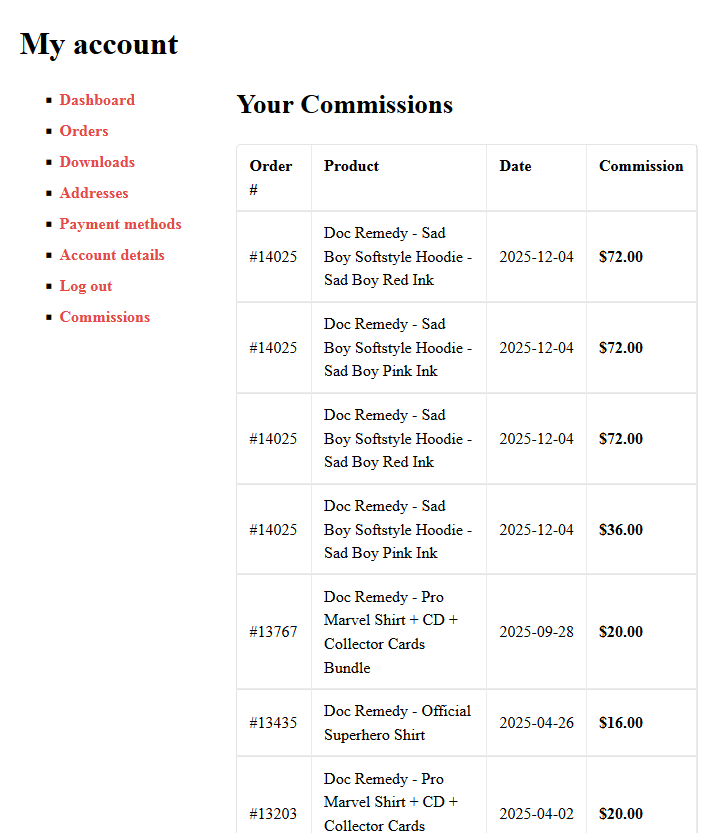
Commission Hero adds a dedicated Commissions tab to the WooCommerce
My Account area for contributors.
This tab is visible only to users who are assigned as contributors on one or more products.
Inside the Commissions tab, contributors can view:
- Products they earned commissions from
- Associated order dates
- Commission amounts per item
- Paid or unpaid commission status
This view is read-only and is designed to give contributors clear visibility into their
earnings without exposing administrative or store management controls.
Contributors will only see their own commission data.
Contributor Payout Preferences
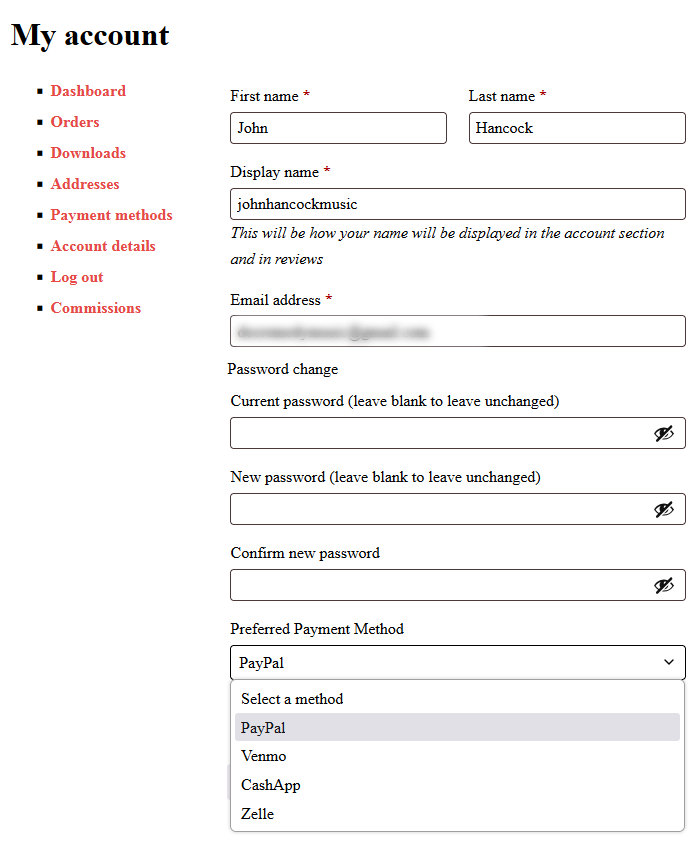
Commission Hero allows contributors to store their preferred payout method directly
within their WooCommerce account.
This information is entered under the Account Details tab
(also referred to as Account Settings) in the My Account area.
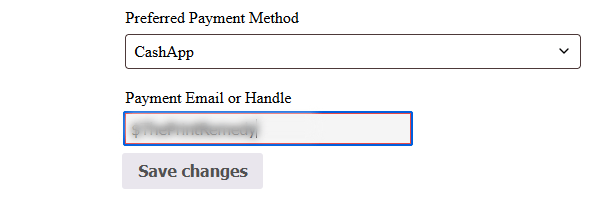
Contributors can enter payout-related details such as:
- Preferred payment method (for example: PayPal, Cash, Bank Transfer)
- Optional notes or payment instructions
This information is not publicly visible.
Preferred payout details are displayed to store administrators within the
Commission Hero admin reports, allowing payouts to be handled manually and accurately.
Commission Hero does not process payments directly and does not store sensitive
financial data such as bank account numbers unless explicitly entered by the user.
Does This Plugin Handle Payouts?
No.
Commission Hero focuses on calculation, reporting, and tracking only.
Actual payouts are handled outside the plugin using your preferred method.
Is Commission Data Retroactive?
Commission Hero tracks commissions from the point it is installed forward.
Orders placed before installation are not automatically imported.
Is Commission Hero Safe to Use on Live Stores?
Yes.
- Does not modify WooCommerce order data
- Does not affect checkout or pricing
- Uses read-only order queries
- Is lightweight and non-invasive
Commission Hero is built to be simple, transparent, and predictable,
focusing on clean internal revenue sharing without affiliate complexity.
Support Policy
Support for free versions of DevHero Digital plugins is provided via the
official WordPress.org support forums.
We focus on resolving bugs, usage questions, and plugin-related issues.
Custom development, theme conflicts, and third-party plugin troubleshooting
may be outside the scope of free support.